TL;DR # A Python script that identifies every device on your network in PAN-OS traffic logs, without Active Directory. Combines Pi-hole DNS, UniFi Controller, and DHCP leases into one priority merge. 124 devices named on my PA-440.
Before:
1 2 3 192.168.10.128 → 8.8.8.8 user: unknown 192.168.30.240 → 1.1.1.1 user: unknown 172.30.50.77 → 52.26.132.60 user: unknown After:
The Problem: Six Interfaces for One Question # “Is anything broken in my homelab?”
Answering that question used to mean: SSH into Proxmox to check guest status. Curl the Pi-hole API for DNS health. Open Grafana to scan Prometheus alerts. Check Graylog for error spikes. Look at Semaphore for failed automation runs. Glance at Caddy logs for 502s.
The 2 AM Wake-Up Call # I woke up to find my CI/CD platform had been down for 8 hours. Semaphore, the Ansible automation engine that manages my entire homelab, was stuck in a crash loop:
1 2 3 /usr/local/bin/server-wrapper: line 295: syntax error: unexpected "&&" /usr/local/bin/server-wrapper: line 295: syntax error: unexpected "&&" /usr/local/bin/server-wrapper: line 295: syntax error: unexpected "&&" The same error, repeating every few seconds. The container would start, hit the broken entrypoint script, crash, and restart. Endlessly.
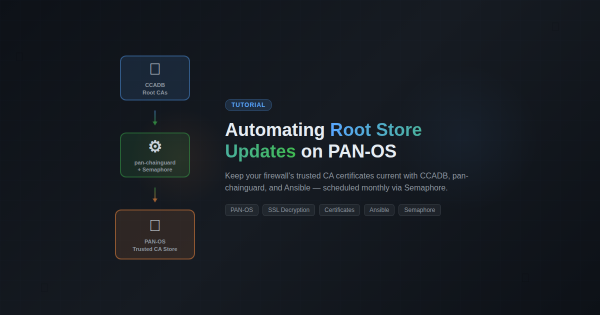
Overview # If you’re running SSL decryption on a Palo Alto firewall, you’ve probably hit this: a user reports they can’t access a website, and it turns out the site’s CA certificate isn’t in your firewall’s trusted root store. PAN-OS only updates its built-in root store on major software releases, which means between upgrades your firewall’s trust anchors slowly go stale.
The Goal # Add all 4 Proxmox VE cluster nodes (pve-mini2, pve-mini3, pve-mini5, pve-mini6) to the existing Prometheus/Grafana stack on LXC 30194. The monitoring stack already covered Graylog, Windows desktop, and PAN-OS firewall metrics – Proxmox was the last major gap.
Approach: pve-exporter vs node_exporter # I evaluated two options:
Overview # DNS is the backbone of your network. When your Pi-hole goes down, every device in your home loses internet access. Websites won’t load. Apps stop working. Smart home devices go offline. It’s a single point of failure that brings everything to a halt.
This tutorial shows you how to build a resilient DNS infrastructure using two Pi-hole servers with automatic failover. If one server dies, the other seamlessly takes over in under 15 seconds — without any manual intervention.
Why an XDR in a Homelab? # When I first started building out my homelab infrastructure, I fell into the same trap that catches most homelab enthusiasts: I assumed that being behind a firewall made me safe. After all, I wasn’t running a Fortune 500 network. I had VLANs, I had a next-generation firewall doing deep packet inspection, and I kept my systems patched. What more did I need?
The Challenge # I watched a YouTube video titled “I Stopped Using PowerPoint Once I Learned This Claude Method” that demonstrated creating presentations using HTML instead of PowerPoint. The approach was compelling: single HTML files that run in browsers, support full CSS animations, and can be deployed to GitHub Pages for instant sharing.
But here’s the thing - I already had a pptx skill installed that generates actual PowerPoint files. Should I replace it? Enhance it? Or build something new?
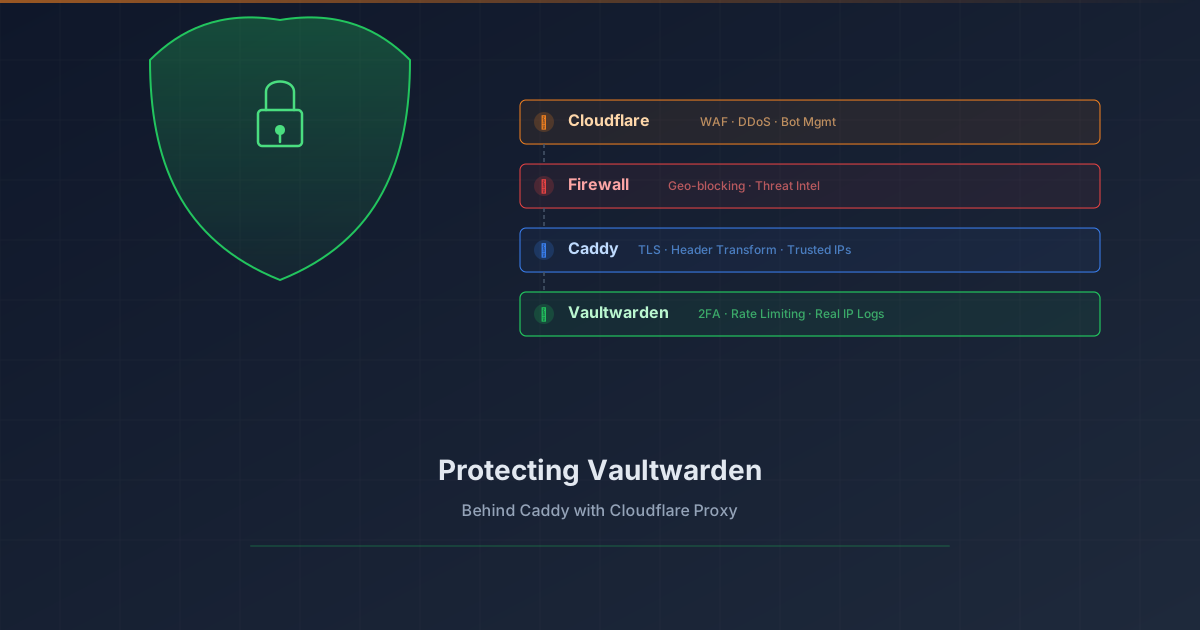
Overview # Your password vault is arguably the most sensitive service in your homelab. Exposing Vaultwarden to the internet requires layered protection. This tutorial shows how to add Cloudflare Proxy (WAF, DDoS protection, bot management) in front of Vaultwarden while preserving real client IP logging.
What you’ll achieve:
1 2 3 4 5 6 7 8 9 Client (real IP) ↓ Cloudflare Edge (WAF, DDoS, Bot protection) ↓ CF-Connecting-IP header Your Firewall (geo-blocking, threat intel) ↓ Caddy (extracts real IP, TLS termination) ↓ X-Real-IP header Vaultwarden (rate limiting, 2FA, logs real IP) Prerequisites # Vaultwarden already running behind Caddy reverse proxy Domain managed by Cloudflare (DNS) Caddy with valid TLS certificates (Let’s Encrypt/ACME) Basic understanding of reverse proxies The Problem # When you enable Cloudflare Proxy (orange cloud), traffic flows through Cloudflare’s edge servers before reaching your origin. This provides excellent protection, but introduces two challenges:
Overview # I migrated my internet speed monitoring from Speedtest Tracker to MySpeed after learning that Speedtest Tracker was deprecating native Discord notifications. Rather than adding an Apprise sidecar container for notifications, I opted for MySpeed which has built-in Discord support.
Why Migrate? # Factor Speedtest Tracker MySpeed Stack Laravel/PHP Node.js Discord Deprecated (needs Apprise) Native support Complexity nginx + php-fpm + SQLite Single Docker container Updates Manual WUD opt-in monitoring Architecture Comparison #