The Problem # My Caddy reverse proxy runs as an HA pair – two nodes behind a keepalived VIP. Every service in the homelab gets its traffic through this pair. The setup works great, except for one recurring failure mode: config drift.
The deployment process was manual: edit the Caddy site config in git, SCP it to both nodes, validate, reload. The “both nodes” part is where things break down. It’s easy to deploy to caddy1, test it, see it working, and then forget caddy2 exists. Until keepalived fails over and suddenly half your sites return 502s because the backup node has last week’s config.
The Problem # My PAN-OS firewall (GlobalProtect VPN portal at vpn.mareoxlan.com) needs a valid TLS certificate. I had a dedicated LXC (30122) running acme.sh with a Cloudflare DNS-01 challenge to issue a wildcard cert, then a PAN-OS deploy hook to push it to the firewall via the XML API. It worked, but it was a single-purpose VM doing the same job my Caddy reverse proxy already does – Caddy auto-renews *.mareoxlan.com via the same Cloudflare DNS-01 mechanism.
Overview # After multiple outages caused by configuration drift between two HA Caddy reverse proxy nodes, I built a GitOps pipeline that automatically deploys configs to both nodes whenever changes are pushed to the main branch. Config drift is now impossible by design.
The problem: Two Caddy nodes in a keepalived HA pair need identical configs. Forgetting to deploy to the second node after editing a site config caused service outages — twice in the same week.
Overview # When running a self-hosted password manager like Vaultwarden, accurate client IP logging is critical for security alerts. The “New Device Login” email should show the actual IP address of whoever just accessed your vault—not your reverse proxy’s internal IP.
This becomes tricky when you have multiple traffic paths: external users coming through Cloudflare Tunnel, and internal users coming through your local reverse proxy. Each path uses different mechanisms to communicate the real client IP.
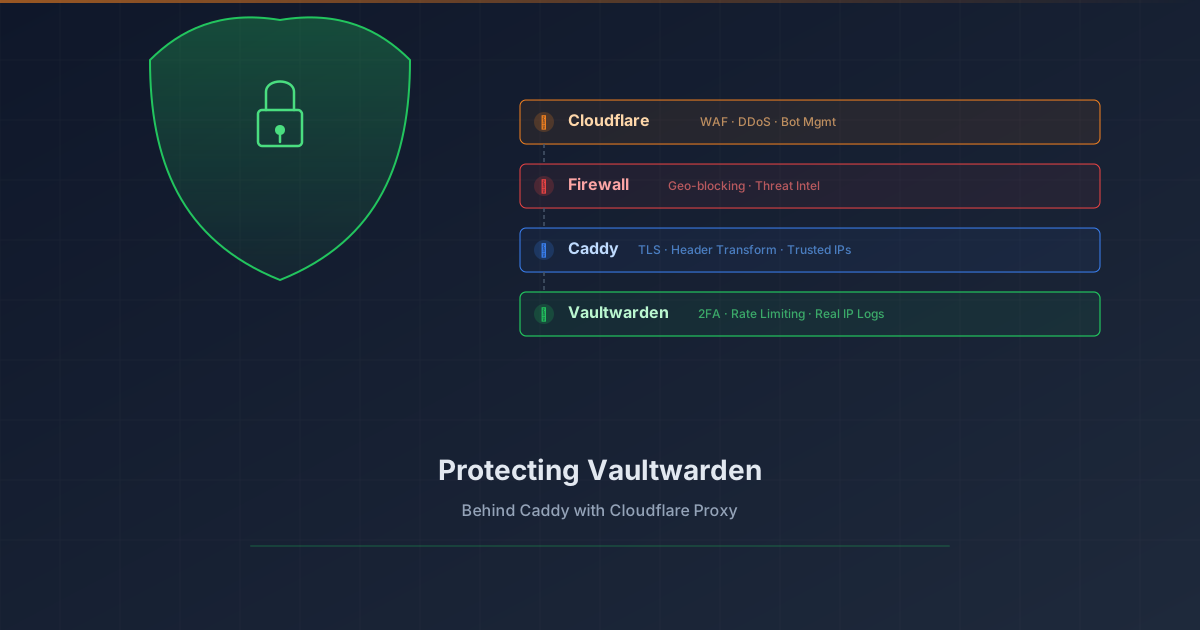
Overview # Your password vault is arguably the most sensitive service in your homelab. Exposing Vaultwarden to the internet requires layered protection. This tutorial shows how to add Cloudflare Proxy (WAF, DDoS protection, bot management) in front of Vaultwarden while preserving real client IP logging.
What you’ll achieve:
1 2 3 4 5 6 7 8 9 Client (real IP) ↓ Cloudflare Edge (WAF, DDoS, Bot protection) ↓ CF-Connecting-IP header Your Firewall (geo-blocking, threat intel) ↓ Caddy (extracts real IP, TLS termination) ↓ X-Real-IP header Vaultwarden (rate limiting, 2FA, logs real IP) Prerequisites # Vaultwarden already running behind Caddy reverse proxy Domain managed by Cloudflare (DNS) Caddy with valid TLS certificates (Let’s Encrypt/ACME) Basic understanding of reverse proxies The Problem # When you enable Cloudflare Proxy (orange cloud), traffic flows through Cloudflare’s edge servers before reaching your origin. This provides excellent protection, but introduces two challenges:
What Changed # Added three Ansible playbooks to Semaphore for managing Caddy reverse proxy domains:
Add Domain: Creates new reverse proxy entry on both HA nodes Remove Domain: Removes domain from both nodes List Domains: Shows all configured domains across the cluster Why # Manual Caddy config edits were error-prone and required SSH to both nodes. Semaphore templates provide a UI for common operations with built-in validation.