This homelab uses segmented networks, policy enforcement at the edge, and redundant services for the few components that would otherwise make a bad afternoon much worse.
Architecture at a glance # The design separates management, infrastructure, isolated workloads, connected devices, and out-of-band administration. The firewall enforces the boundaries. Internal services use role-based names, and public access is mediated through an authenticated edge rather than direct exposure of individual workloads.
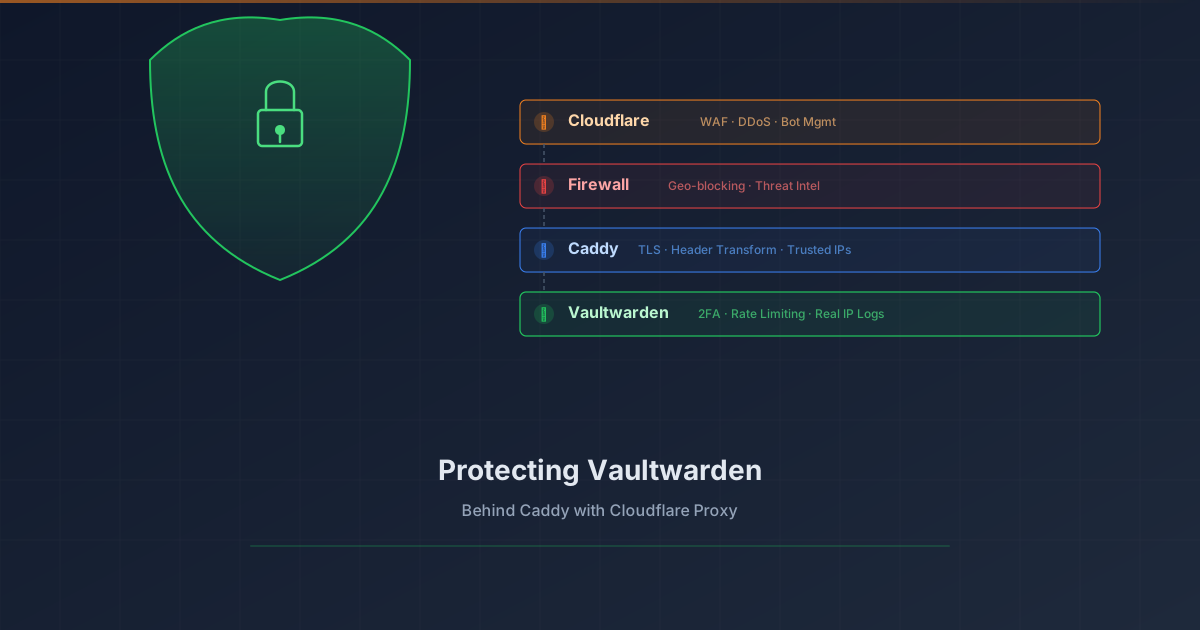
Overview # Your password vault is arguably the most sensitive service in your homelab. Exposing Vaultwarden to the internet requires layered protection. This tutorial shows how to add Cloudflare Proxy (WAF, DDoS protection, bot management) in front of Vaultwarden while preserving real client IP logging.
What you’ll achieve:
1 2 3 4 5 6 7 8 9 Client (real IP) ↓ Cloudflare Edge (WAF, DDoS, Bot protection) ↓ CF-Connecting-IP header Your Firewall (geo-blocking, threat intel) ↓ Caddy (extracts real IP, TLS termination) ↓ X-Real-IP header Vaultwarden (rate limiting, 2FA, logs real IP) Prerequisites # Vaultwarden already running behind Caddy reverse proxy Domain managed by Cloudflare (DNS) Caddy with valid TLS certificates (Let’s Encrypt/ACME) Basic understanding of reverse proxies The Problem # When you enable Cloudflare Proxy (orange cloud), traffic flows through Cloudflare’s edge servers before reaching your origin. This provides excellent protection, but introduces two challenges:
What Changed # Added three Ansible playbooks to Semaphore for managing Caddy reverse proxy domains:
Add Domain: Creates new reverse proxy entry on both HA nodes Remove Domain: Removes domain from both nodes List Domains: Shows all configured domains across the cluster Why # Manual Caddy config edits were error-prone and required SSH to both nodes. Semaphore templates provide a UI for common operations with built-in validation.